React-calculator
React Calculator
A Neatly designed React
calculator designed for arothmetic calculations using react
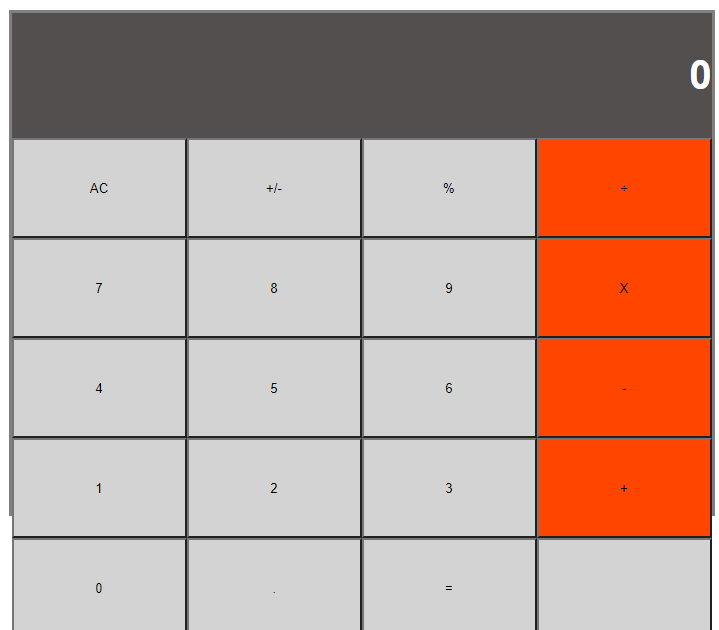
Technologies -HTML/CSS/React/javascript.
Setup To run the project:
Clone the repository: https://github.com/em-em-D/ReactCalculator Run npm install. It will install all the dependencies required by the project Run npm start to start the development server. It will automatically open the page in your default browser.
Feel free to contribute if you want to make it better.
Author
Objective Math-magicians is a fictional company based in France. They have requested my help to build a simple, but fully-functional, beautiful, and user-friendly program that would assist them with their calculations. I used React and other technologies. See technologies used for more info.
Up
Technologies Used Node.js React React-DOM React-Create-App npm HTML/CSS ES6 ESlint Heroku Up
Live version A live version is hosted on Heroku.
Calulator @ heroku How to Install and Run in Your Computer To run the scripts npm is required. To get npm you have to install Node.js. Follow the installation instructions for your system Mac, Linux or Windows.
Use your terminal and run the commands after each instruction.
Command Description git clone https://github.com/em-em-D/React-calculator Clone the repository to you computer cd react-calculator Navigate to the newly created folder npm install Install dependencies and launch browser with examples npm start Makes the build and starts the development server Press Ctrl + c to kill http-server process http://localhost:3000 Visit this link to use the calculator Up
Acknowledgements Microverse software development school Oluwaseun Bello Chia for reviewing Milestones 2, Raphael Noriode for reviewing Milestone 3,4
👤 Author Github: @em-em-D Twitter: @itz_mickymoore Linkedin: Michael Damulak
🤝 Contributing Contributions, issues and feature requests are welcome!
Feel free to check the issues page.
Fork it (https://github.com/em-em-D/react-calculator/fork) Create your feature branch (git checkout -b my-new-feature) Commit your changes (git commit -am ‘Add some feature’) Push to the branch (git push origin my-new-feature) Create a new Pull Request Show your support Give a ⭐️ if you enjoyed this project!
📝 License This project is MIT licensed.